
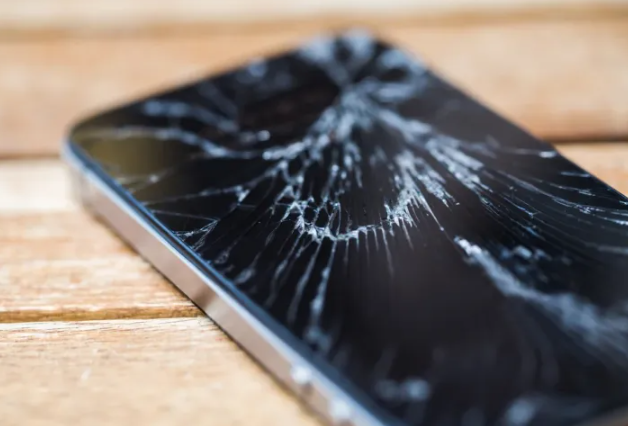
Is your phone screen cracked after a fall? Are you seeing lines, dark spots, or problems when you touch the screen? A broken screen can make daily tasks hard, from reading messages to making calls. If you need Broken Screen Replacement in Lakewood, knowing what to check before repair can help you make a better choice.
At Cracked My Phone, we have over 10 years of experience in computer and mobile phone repair. We help customers understand their repair options so they can take the next step with more confidence.
Key Takeaways
- A cracked screen can affect how you see and use your phone.
- Back up your data before repair if your phone still works.
- The repair cost depends on your phone model and the type of damage.
- Ask about parts, repair time, and warranty before agreeing to service.
- A trusted repair shop can help you understand your options.
What Should You Do When Your Phone Screen Breaks?
If your phone screen breaks, check whether the phone still works and look for signs of further damage. Avoid pressing hard on the screen, especially if glass pieces are loose. Follow these simple steps:
- Check the damage: Look for cracks, dark spots, lines, or areas where the touch screen does not work. These signs can help you understand how badly your phone is damaged.
- Protect your fingers: Avoid touching broken glass because it may cut your fingers. Keep the phone away from children until the screen is repaired.
- Save your data: If your phone is still working, make a copy of your photos, contacts, and important files. This way, you can keep your important information safe during the repair.
- Avoid water: A broken screen may affect your phone’s protection from water and dust. Keep your phone away from sinks, rain, and wet areas until it is repaired.
- Arrange a repair check: Visit a repair shop to have your screen checked by a repair team. They can look for other damage and explain the repair options available for your phone.
If your phone gets hot, starts to swell, or shows other signs of battery damage, stop using it and seek professional help.
How Do You Know If You Need Broken Screen Replacement Lakewood?
You may need a screen replacement if the glass is badly cracked, the display shows strange colors, or the touch feature stops working. Some screen problems may also come from damage inside the phone.
Here are common signs to look for:
- Cracks across the screen can make your phone hard to use and may get worse over time.
- Black or colored spots on the display may mean the screen is damaged inside.
- Lines that appear after a fall can be a sign of damage to the phone screen.
- Touch controls that do not respond can make it hard to open apps, type messages, or answer calls.
- A screen that flickers or stays dark may need to be checked and repaired.
- Glass that lifts away from the phone body may point to screen damage that needs quick attention.
A small crack can still get worse with daily use. We recommend getting the phone checked rather than waiting for the damage to spread.
What Affects the Cost of Phone Screen Repair?
The cost of screen repair depends on your phone model, the type of screen, and how badly the device is damaged. Some phones need only a screen repair, while others may have damage to the frame or other parts.
Before you agree to the repair, ask these questions:
- What is the total repair cost?
- Does the price include parts and labor?
- What type of replacement screen will be used?
- How long will the repair take?
- Is there a warranty on the repair or parts?
The answers can help you compare repair options. We suggest asking for a clear price before work begins so you know what to expect.
Should You Repair or Replace Your Phone?
Repairing a broken screen may be a good choice if the phone works well apart from the screen. If the phone is very old or has several other problems, compare the repair cost with the cost of getting another device.
| Situation | What to consider |
| Only the screen is broken | Ask about screen replacement |
| The phone has other faults | Request a full check |
| The phone is older | Compare repair cost with replacement cost |
| Your data is important | Ask how your data will be handled |
Take your time to review your options before making a decision. First, find out what is wrong and how much the repair may cost.
What Should You Check Before Choosing a Repair Shop in Lakewood?
Choose a repair shop that explains the problem, gives clear repair details, and answers your questions. Knowing what the repair includes can help you avoid confusion later.
Before choosing a shop, check the following:
- Repair experience: Ask whether the team works on your phone brand and model.
- Clear pricing: Find out the full cost before you approve the work.
- Repair time: Ask when your phone may be ready.
- Parts and warranty: Check what parts will be used and whether any repair cover is offered.
- Data safety: Ask if you need to back up your phone or turn off any security settings before service.
At Cracked My Phone, we have more than 10 years of experience in mobile phone and computer repair. We encourage customers to ask questions and understand their options before moving forward.
Do You Need iPhone Repair Lakewood?
If you have a cracked iPhone screen, iPhone repair in Lakewood is a useful search when looking for local repair help. The right repair depends on your iPhone model and the type of damage.
Before arranging an iPhone screen replacement, check whether the display still works, whether touch controls respond, and whether the phone has other issues. Back up your data if possible, and ask about the screen type, repair price, and expected time. You can visit our computer and phone repair website to learn more about Cracked My Phone and contact us about your device repair needs.
How Can You Protect Your Phone After Screen Replacement?
After a screen replacement, use a few simple habits to help lower the chance of new damage. A case and a screen protector can help protect your phone from everyday knocks and scratches.
Try these tips:
- Use a well-fitting phone case.
- Add a screen protector that suits your device.
- Keep your phone away from the edge of tables.
- Avoid carrying your phone with keys or other sharp items.
- Clean the screen with a soft cloth.
- Handle your phone with care, especially near hard floors.
These steps cannot prevent every accident, but they can help keep your phone in better shape.
Get Help With Your Broken Phone Screen
Is a cracked screen making your phone hard to use? Do not wait for the problem to become worse. We can help you discuss the next steps for your device. Visit Cracked My Phone to learn more about our services and contact us with your repair questions. Ask about your phone model, repair options, cost, and service time before you decide.
Frequently Asked Questions
1.Is it safe to use a phone with a cracked screen?
You may be able to use it, but broken glass and touch problems can make it unsafe or hard to use. Avoid touching loose glass and arrange a repair check.
2.How long does broken screen replacement take?
Repair time depends on your phone model, the type of damage, and whether the needed part is available. Ask the repair shop for an estimate before booking.
3.How much does Broken Screen Replacement Lakewood cost?
The price depends on your phone model, screen type, and any extra damage. Get a clear price estimate before you agree to the repair.
4.Will I lose my photos during screen repair?
A screen repair does not always erase data, but data loss is still possible. Back up your photos, contacts, and files before repair if your phone works.
5.Can you help with iPhone screen damage?
We handle computer and mobile phone repair needs. Reach out to Cracked My Phone with your iPhone model and a brief description of the problem to learn about your repair options.
6.Should I repair a small screen crack?
Even a small crack should be checked by a repair expert to prevent further problems. It may spread over time, and damaged glass can make the phone harder or less safe to use.